
When RFI is enabled, an inspection can follow one of a few RFI workflows, depending on (1) whether an RFI approver is involved, (2) whether there is approval at the inspection stage, and (3) whether Re-RFI is On. This article explains those flows, with a diagram for each.
Roles: Maker/Contractor (raises the RFI, does the work), Checker/Inspector (inspects), Approver (optional — accepts/rejects the RFI at Review, and/or approves after inspection).
Raise RFI — the Maker requests inspection when work is ready.
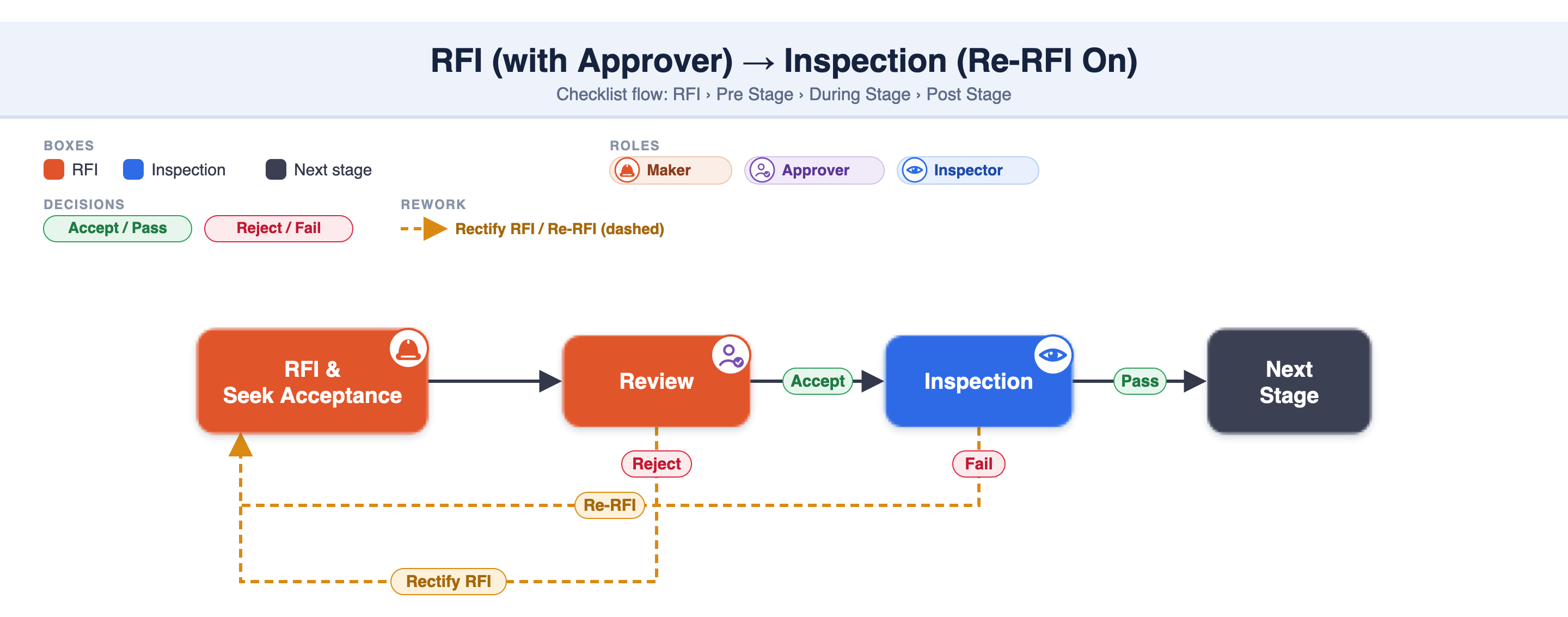
Review RFI (only if an RFI approver is set) — the approver Accepts or Rejects. Reject → the Maker rectifies and raises a fresh RFI.
Inspection — the Checker inspects → Pass or Fail.
Approval at inspection stage (if configured — up to 3 levels) — after a Pass, an approver Approves or gives Redo.
Fail or Redo — what happens next depends on Re-RFI (below).
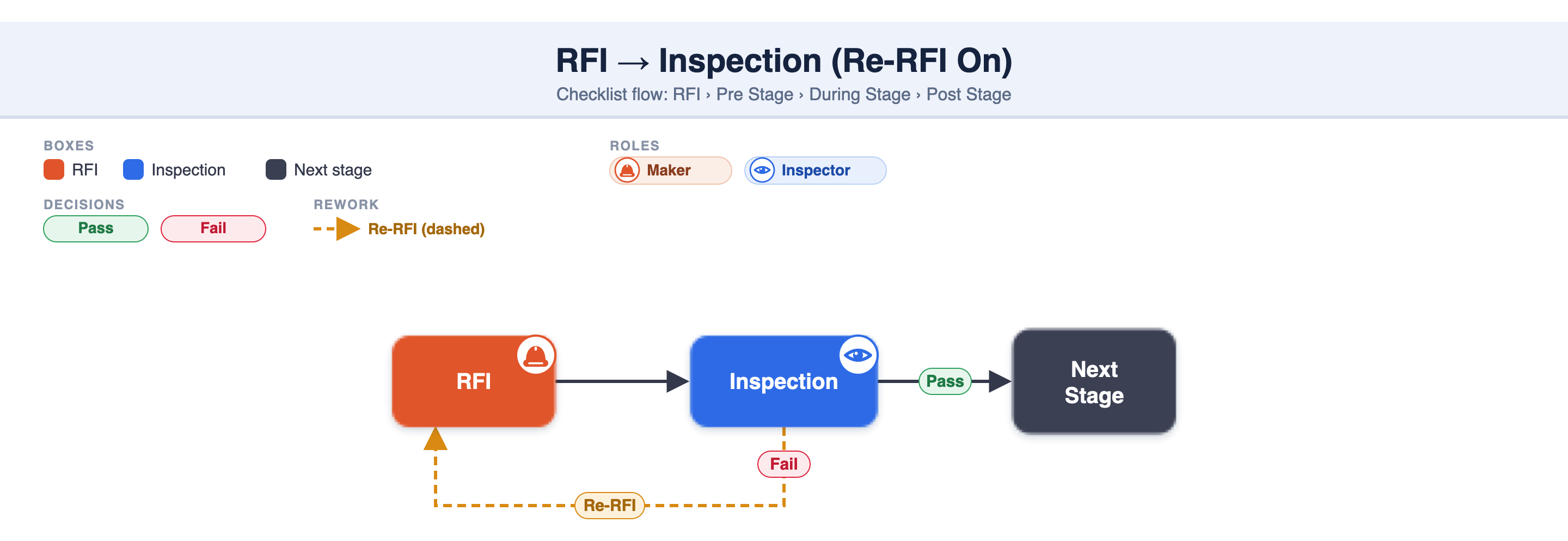
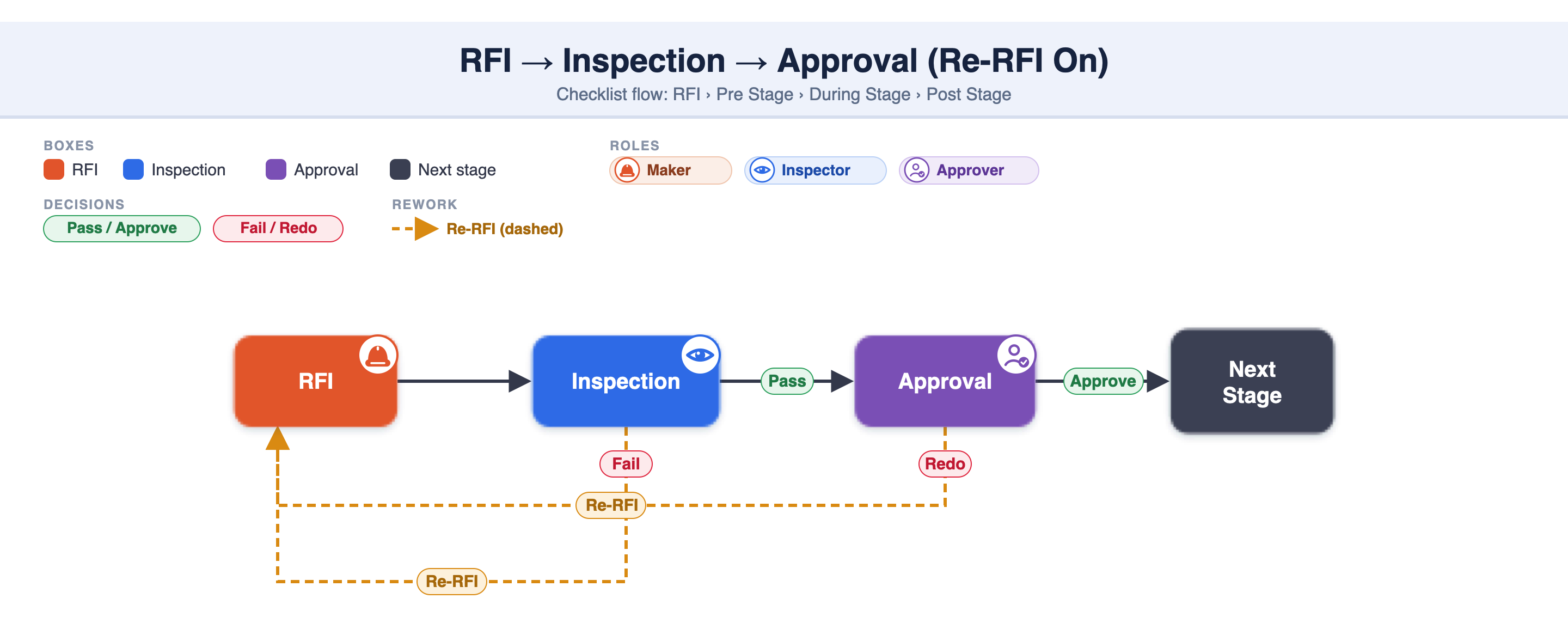
Re-RFI On (default) — on a Fail or Redo, the Maker must raise a fresh RFI (Re-RFI) after corrections to restart.
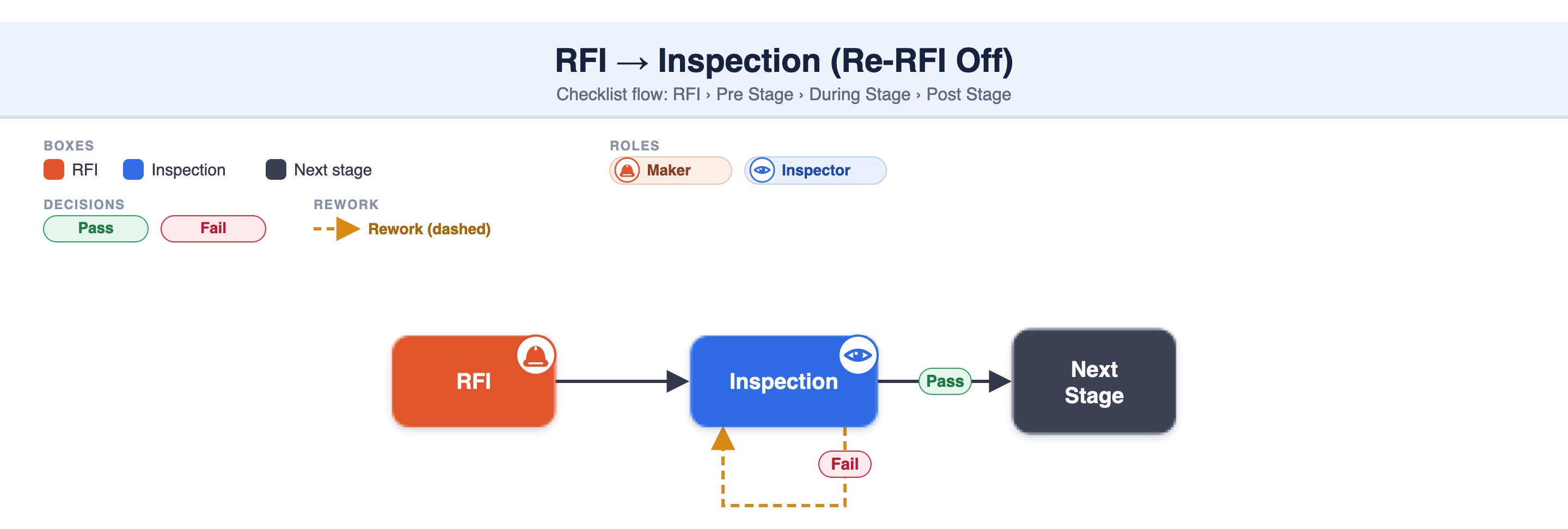
Re-RFI Off — on a Fail or Redo, the process restarts from the Inspection stage — no fresh RFI.
1. RFI → Inspection (Re-RFI On) — no approver, no inspection approval. On a Fail, the Maker raises a fresh RFI.
2. RFI → Inspection (Re-RFI Off) — same, but on a Fail the inspection restarts from the Inspection stage (no fresh RFI).
3. RFI → Inspection → Approval (Re-RFI On) — the inspection stage has approval. A Fail or a Redo sends the Maker back to raise a fresh RFI.
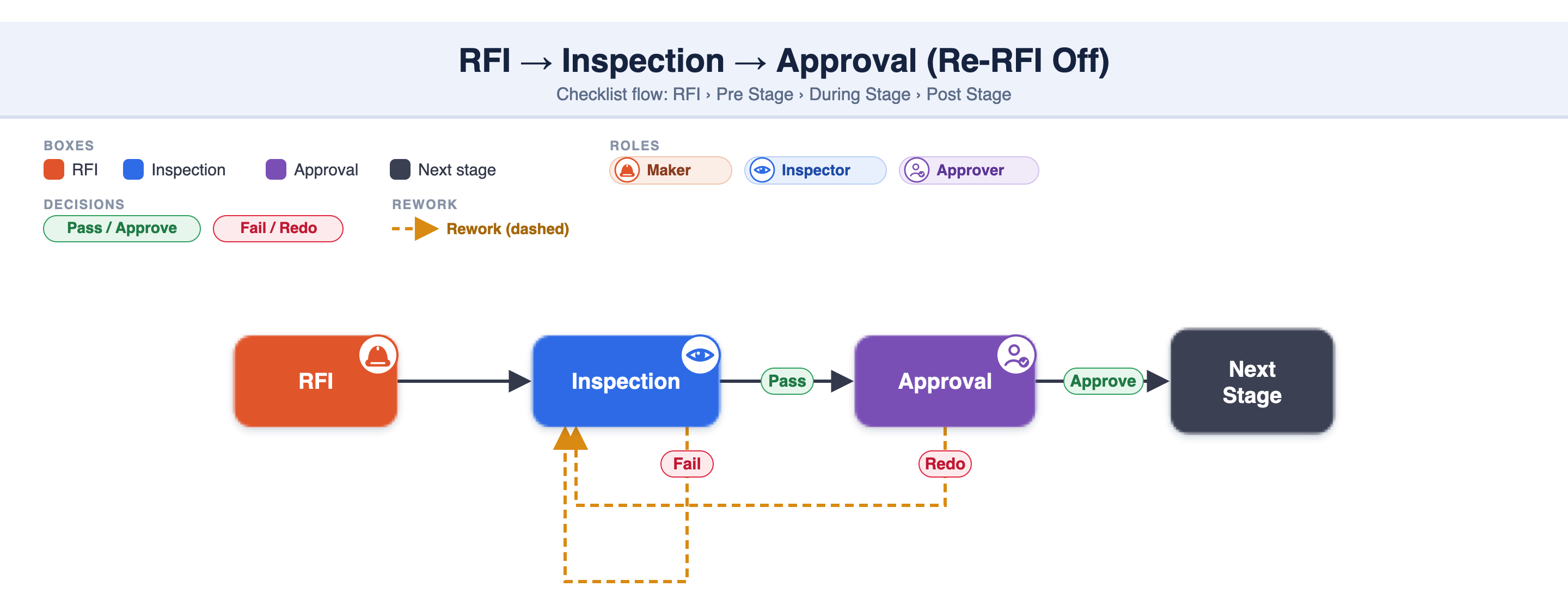
5. RFI (with Approver) → Inspection (Re-RFI On) — an approver Accepts/Rejects the RFI first. Reject → Rectify RFI; Fail → fresh RFI.
6. RFI (with Approver) → Inspection → Approval (Re-RFI On) — the full chain, with both approval points (RFI Review and inspection Approval).
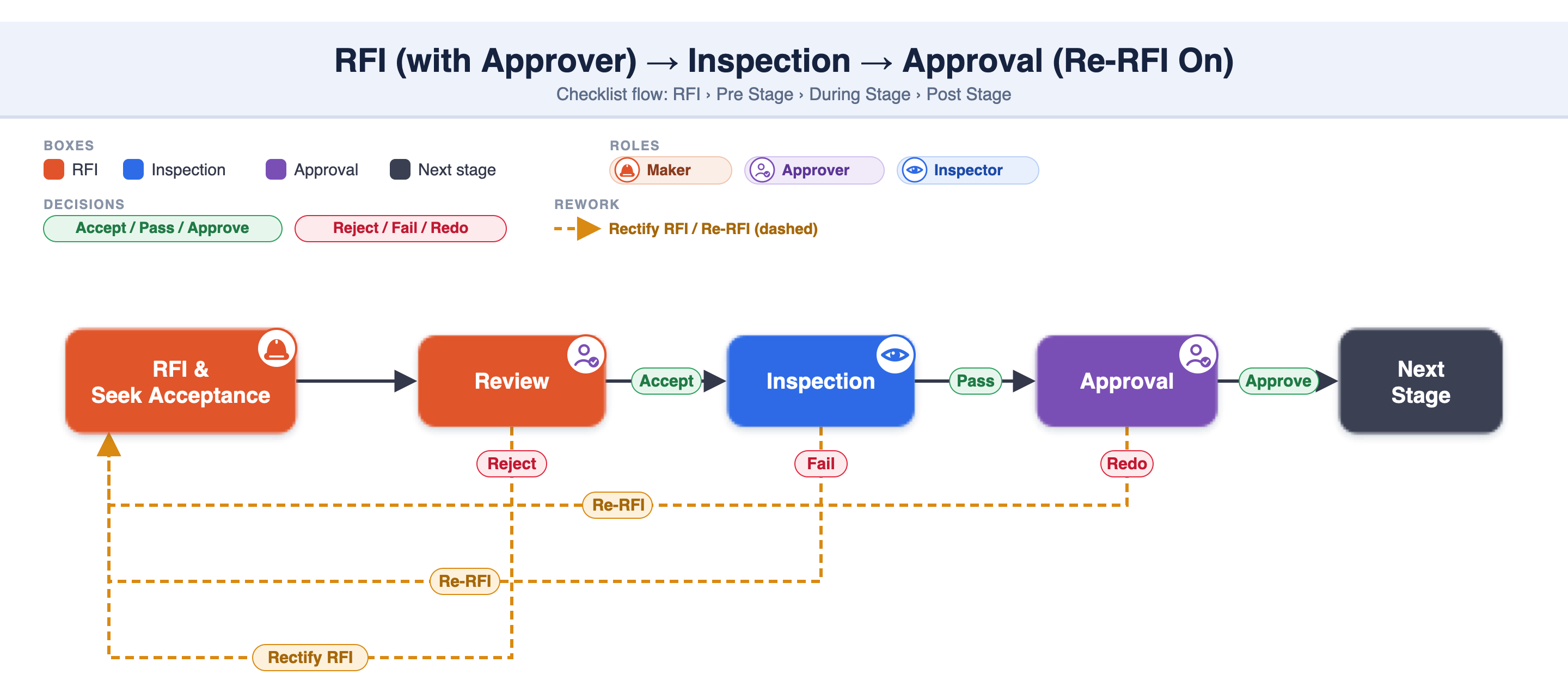
After the inspection Passes, an approver signs it off (up to 3 levels: L1 → L2 → L3) before the stage completes. This is separate from the RFI approver.
On — the Maker raises a fresh RFI. Off — the process restarts from the Inspection stage (no fresh RFI).
The Maker rectifies and raises a fresh RFI.
See 2.2.13 digiQC Inspection Workflows — the full 20-workflow catalogue (RFI and non-RFI).
RFI workflow depends on: RFI approver (no/yes) × inspection-stage approval (none / L1–L3) × Re-RFI (On/Off).
Re-RFI On (default) = fresh RFI after a Fail/Redo; Off = restart from the Inspection stage.
Re-RFI must be enabled in the project RFI settings (2.6.9).
The full workflow catalogue is in 2.2.13.
2.6.9 RFI Introduction and setup for the Project
2.6.10 Setup RFI stage for Project Checklist
2.2.13 digiQC Inspection Workflows
2.2.9 RFI process with Approver