
Overview
Every issue (Instruction) follows a simple three-step process — Raise → Respond → Verify — and settles into one of a few cases, depending on whether it's closed straight away or goes through a response first. This article shows those cases with a diagram each, and who can do what.
Roles
Raiser / raiser's team — raises the issue and, at the end, verifies, accepts / rejects and closes it.
Assigned user — responds only — never accepts, rejects or closes.
The cases
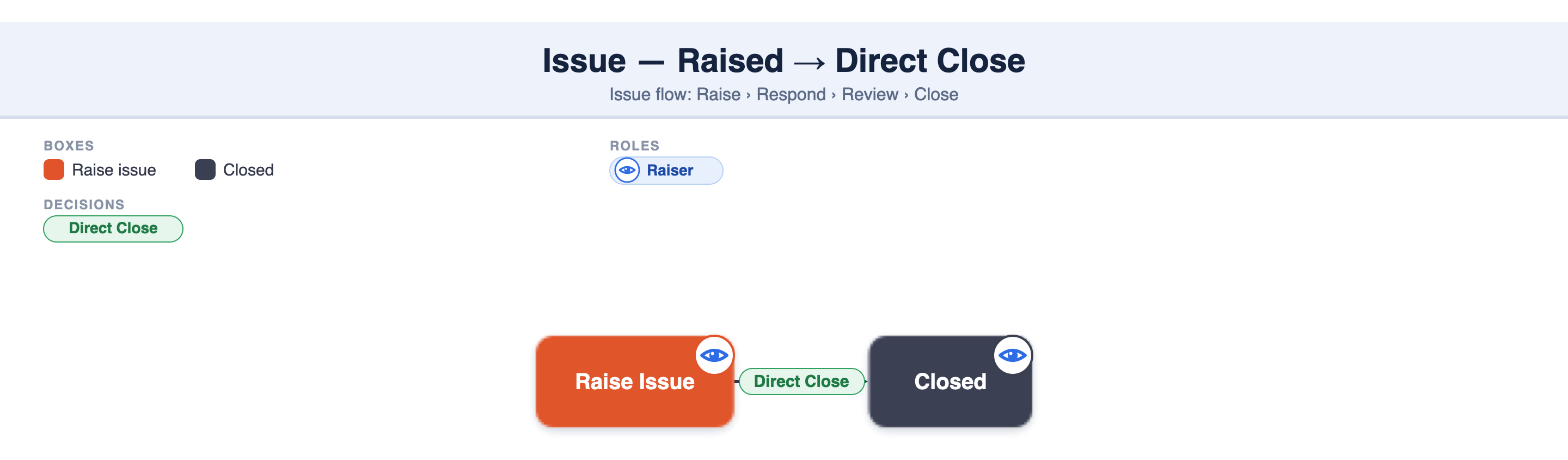
Case 1 — Raised → Direct Close
The raiser raises the issue and closes it directly, without waiting for a response — used when it's resolved on the spot or needs no further action.
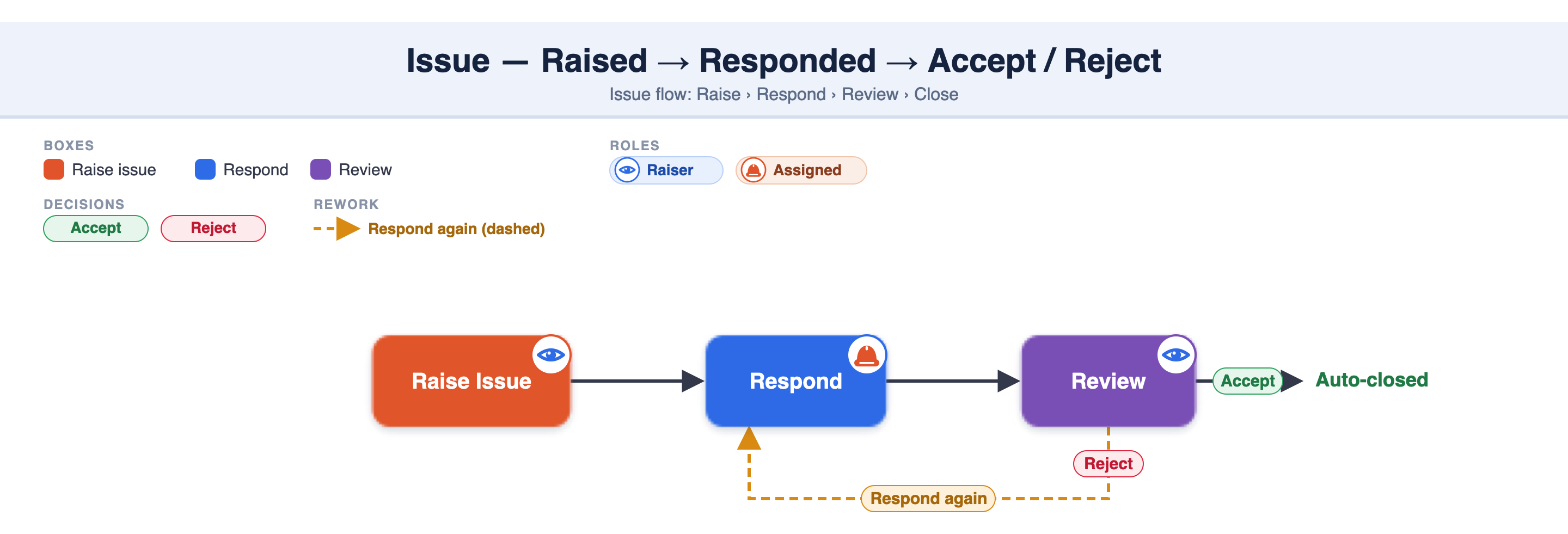
Case 2 — Raised → Responded → Accept / Reject
The issue is assigned, and the assigned user responds (e.g. with the fix and a photo). The raiser's team then reviews the response:
Accept → the issue is auto-closed (Closed is a status, so there's no separate step).
Reject → it goes back to the assigned user to respond again.
Response photo rule — if the raiser added a photo while raising the issue, then the assigned user must add a photo in their response. If the raiser did not add a photo, a photo is not required in the response.
👥 Who can do what
The assigned user only responds — never accepts, rejects or closes.
Closing (direct close / accept / reject) is done by the raiser's team, in the mobile app:
- the assigned user can't — even if they're in the raiser's team (a teammate does it). - if the issue is assigned to a different team, that team can only respond; the raising team closes.
❓ FAQ
1. What is the three-step process?
Raise → Respond → Verify. A user raises the issue and assigns it; the assigned user responds; the raiser's team verifies and accepts (closes) or rejects (respond again).
2. What are the issue cases?
(1) Raised → Direct Close, and (2) Raised → Responded → Reviewed → Accept / Reject (Accept auto-closes it; Reject sends it back to respond again).
3. Who can close, accept or reject an issue?
The raiser's team — not the assigned user (even in the same team; a teammate does it), and not a different assigned team (they can only respond).
4. Can the assigned user close the issue?
No — the assigned user can only respond.
5. Does the assigned user have to add a photo when responding?
Only if the raiser raised the issue with a photo — then a response photo is mandatory.
💡 Good to know
Three-step flow: Raise → Respond → Verify; two cases: direct close, or respond → review → accept / reject.
The raiser's team raises, verifies and closes; the assigned user / assigned team only respond.
Reject → respond again; Accept auto-closes.
Photo rule: raising with a photo makes a response photo mandatory.
The result: streamlined communication, clear roles & accountability.
🔗 Related articles
How to raise an issue
How to respond to an assigned issue
How to verify and accept / reject a responded issue
How to directly close a raised issue
How to download an Issue report